T-Mobile Sync-Up KIDS Watch: Designing a Weather App
T-Mobile Sync-Up KIDS Watch: Designing a Weather App
T-Mobile Sync-Up KIDS Watch: Designing a Weather App
Tools Used
Tools Used
Figma, Adobe Illustrator, Adobe After Effects
Figma, Adobe Illustrator, Adobe After Effects
My Role
My Role
Product Designer
Product Designer
Length
Length
1 Month
1 Month
Background
Background
It goes without saying that a weather app is an essential function of any smartwatch. This project was part of the continued effort to develop the Sync-UP KIDS Watch product and establish it as a real contender with other smartwatches for kids.
Business Goal
Business Goal
Create a weather app that is easy for kids to understand and use— so they can know what to wear / know what weather to be prepared for each day.
Results
Results
8
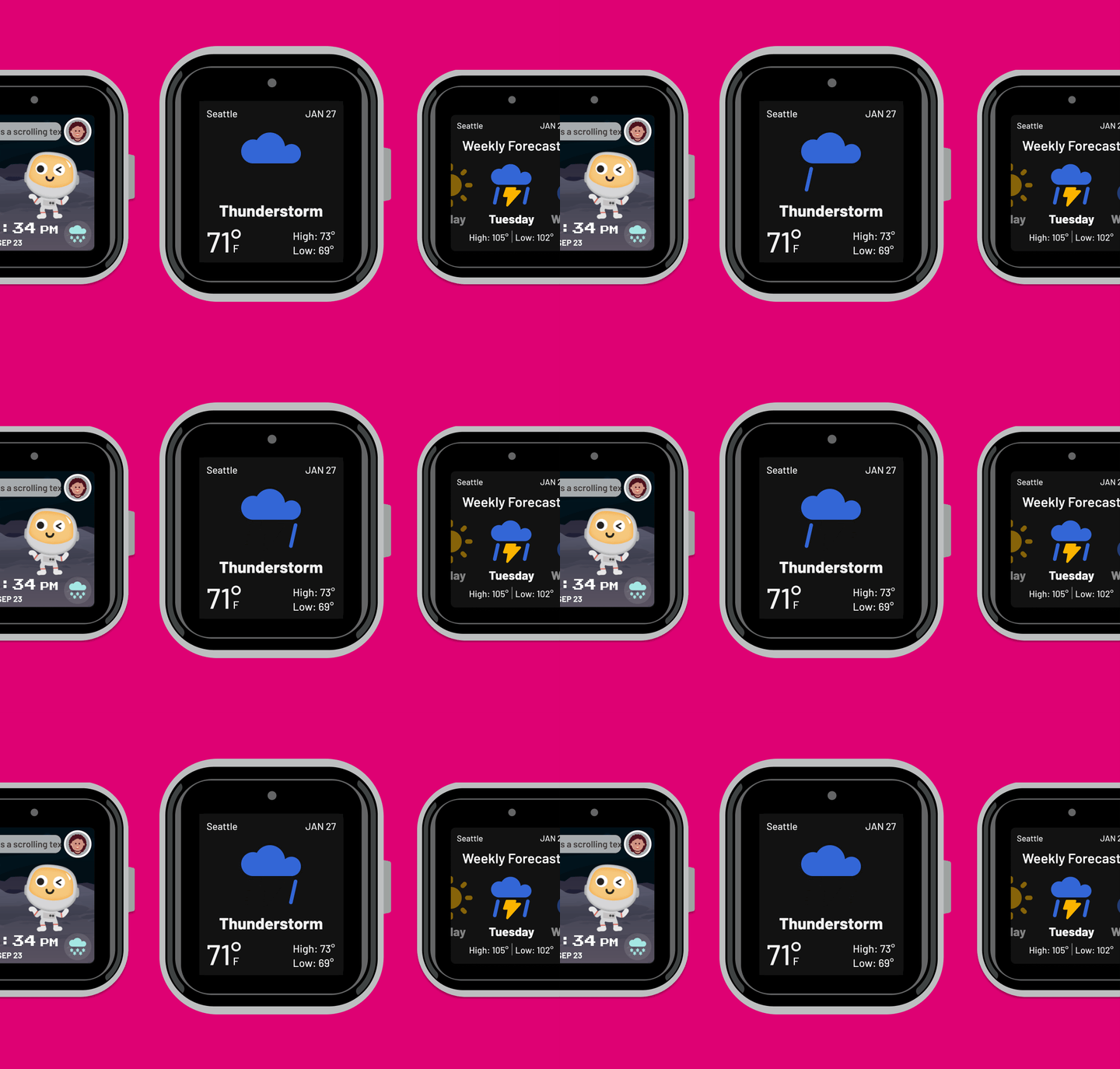
Motion Graphics for Weather
Motion Graphics for Weather
Assisted with continued customer adoption and retention.
Assisted with continued customer adoption and retention.
The Problem
The Problem
How do you design a smartwatch app for a wide age range of 3-13 years old, both from a visual and interaction design point of view?
How do you design a smartwatch app for a wide age range of 3-13 years old, both from a visual and interaction design point of view?
This includes the knowledge gap between older and younger kids as well as their preferences for how an app looks. For instance, most 6 year olds probably don’t know the difference between Fahrenheit and Celsius, but we can’t get rid of the ability to choose between Fahrenheit or Celsius because the parents/family might have a preference for one or the other, which could be confusing to the child.
Another challenge was designing prototypes for smartwatch screens. I have done paper prototyping for smartwatches in the past, but getting everything to be pixel perfect and the right size so it is legible is tricky.
This includes the knowledge gap between older and younger kids as well as their preferences for how an app looks. For instance, most 6 year olds probably don’t know the difference between Fahrenheit and Celsius, but we can’t get rid of the ability to choose between Fahrenheit or Celsius because the parents/family might have a preference for one or the other, which could be confusing to the child.
Another challenge was designing prototypes for smartwatch screens. I have done paper prototyping for smartwatches in the past, but getting everything to be pixel perfect and the right size so it is legible is tricky.
Understanding Users
Understanding Users
Weekly interviews with parents who were T-Mobile customers and had the Sync-Up KIDS Watch, helped to inform the design direction.
Weekly interviews with parents who were T-Mobile customers and had the Sync-Up KIDS Watch, helped to inform the design direction.
Key Takeaways From Interviews
Older kids often want to feel like adults, they don't want to feel like a little kid.
Younger kids do tend to like the more cartoonish and whimsical style.
The older kids are quite savvy with technology, but very young kids still need something that's not too complex and difficult to interact with.
Key Takeaways From Interviews
Older kids often want to feel like adults, they don't want to feel like a little kid.
Younger kids do tend to like the more cartoonish and whimsical style.
The older kids are quite savvy with technology, but very young kids still need something that's not too complex and difficult to interact with.
Design Decision
Based on the information gathered, it seemed like it would be more risky to go with a cartoonish visual style that would appeal mainly to younger kids. Management agreed with my assessment that it would be best to design this key application to look visually similar to other weather apps.
Design Decision
Based on the information gathered, it seemed like it would be more risky to go with a cartoonish visual style that would appeal mainly to younger kids. Management agreed with my assessment that it would be best to design this key application to look visually similar to other weather apps.
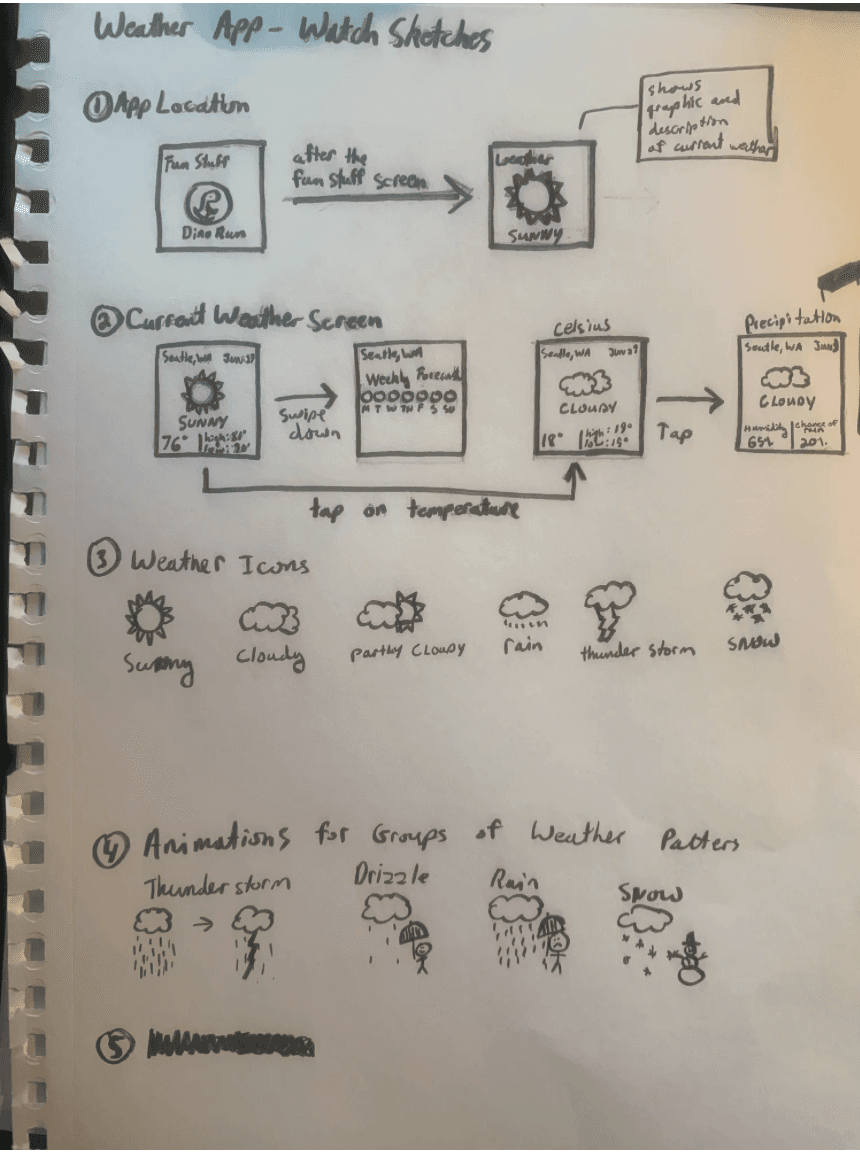
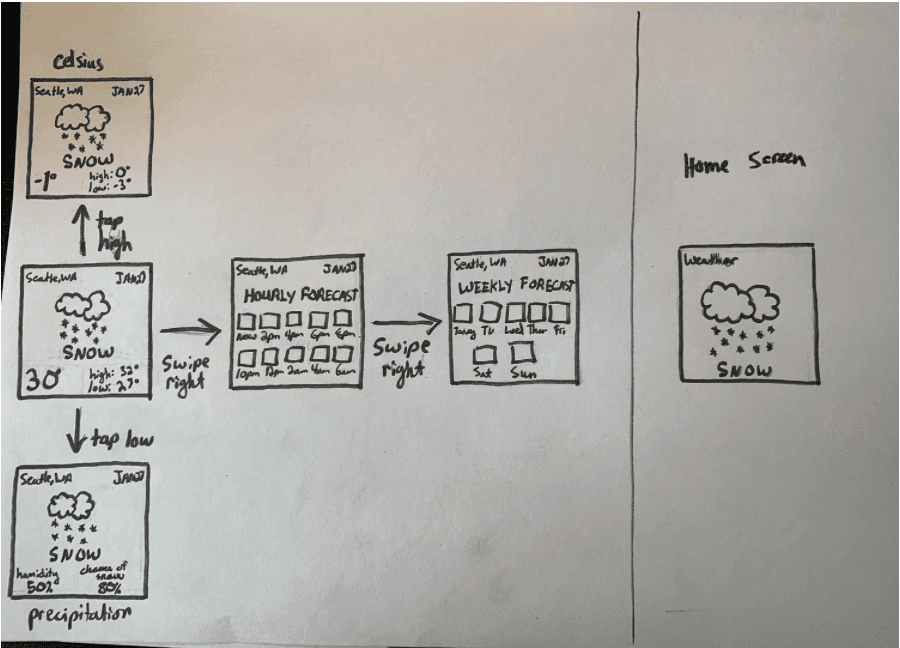
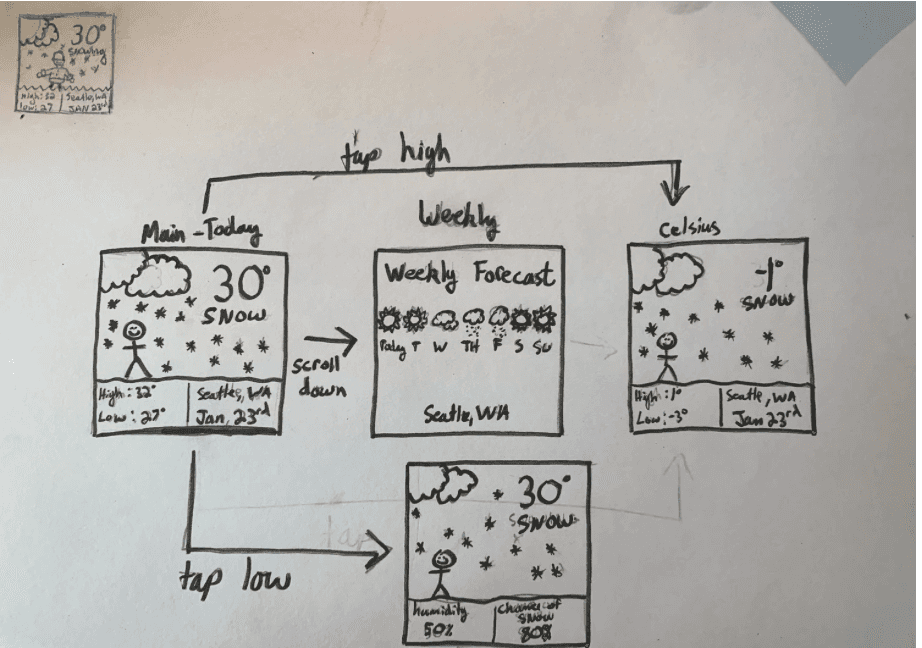
Sketching the Interactions and Animations
Sketching the Interactions and Animations
Exploring Icon Styles
Exploring Icon Styles
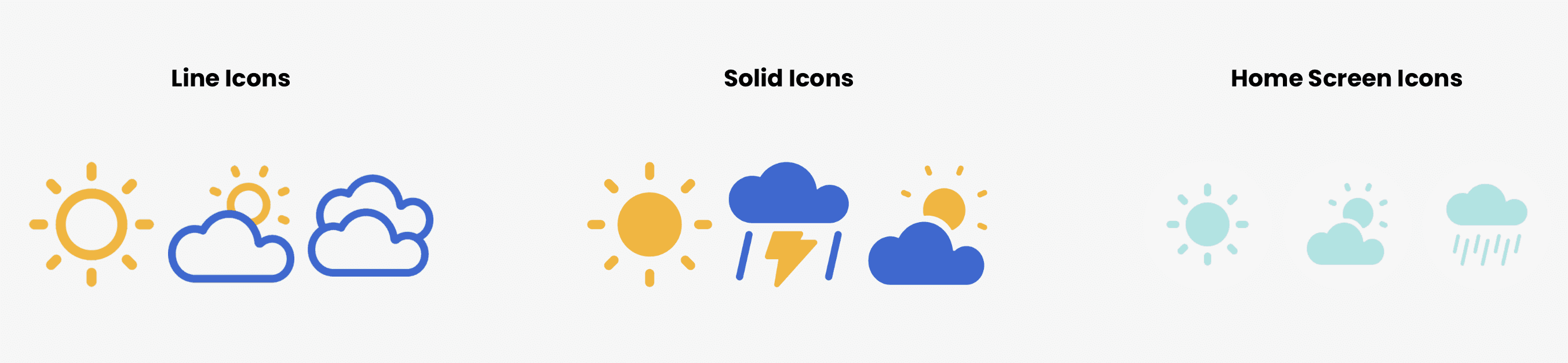
Fitting All of the Necessary Information Into a Very Small Space
Fitting All of the Necessary Information Into a Very Small Space
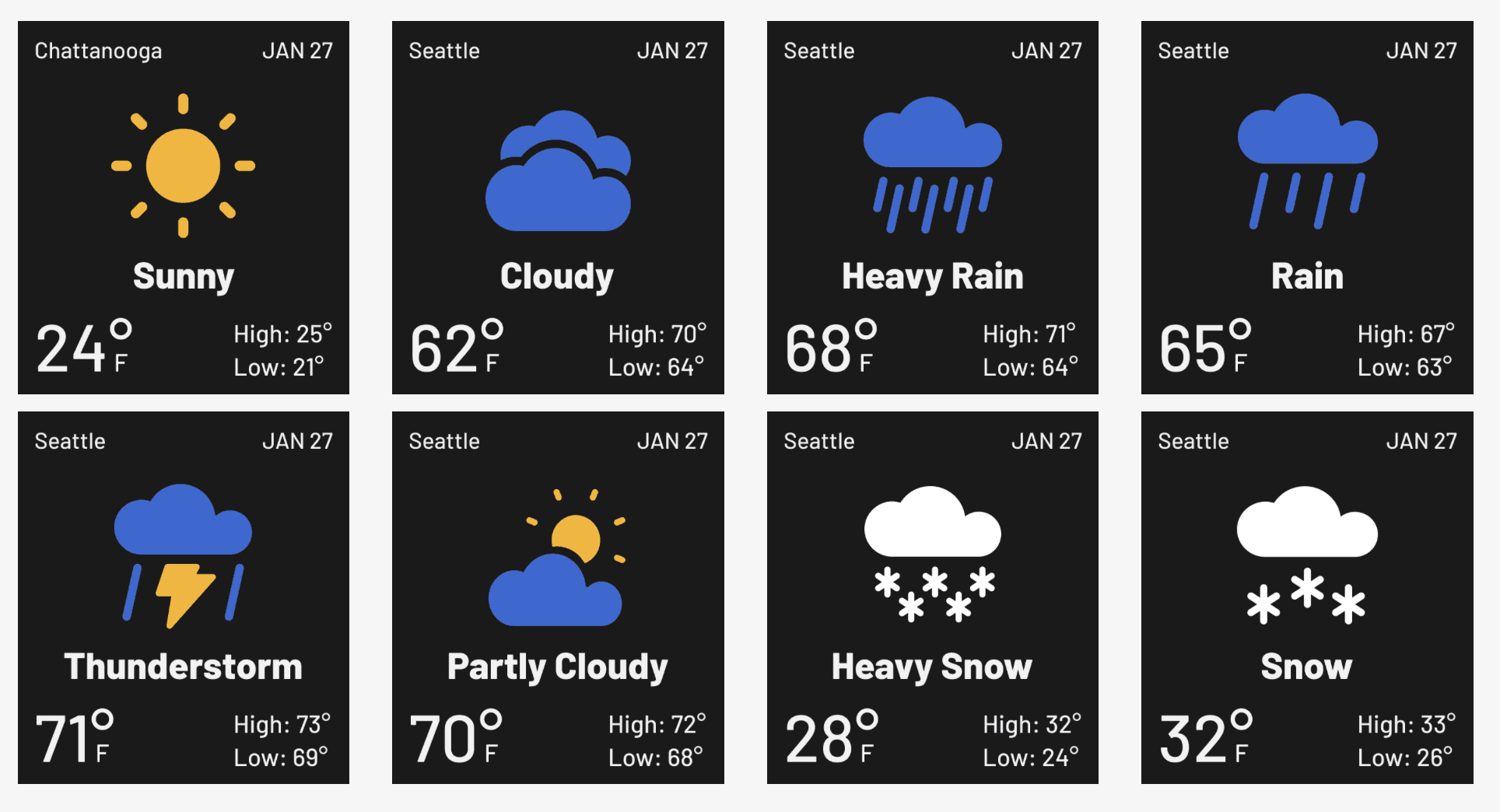
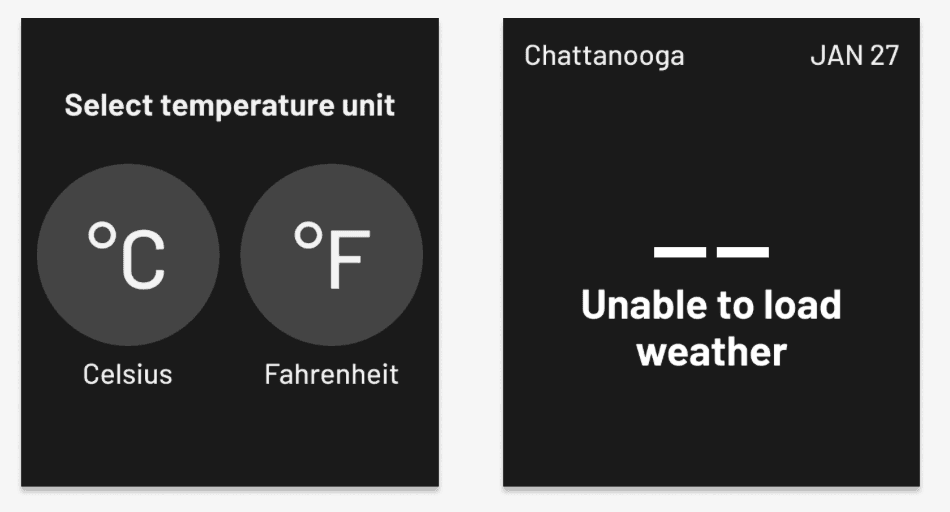
I needed to make sure I accounted for all possibilities, for instance, I experimented with different city names like "Chattanooga". I also tested out many different number combinations. Every single detail down to the spacing and exact position of every single object had to be accounted for.
I needed to make sure I accounted for all possibilities, for instance, I experimented with different city names like "Chattanooga". I also tested out many different number combinations. Every single detail down to the spacing and exact position of every single object had to be accounted for.
Current Weather
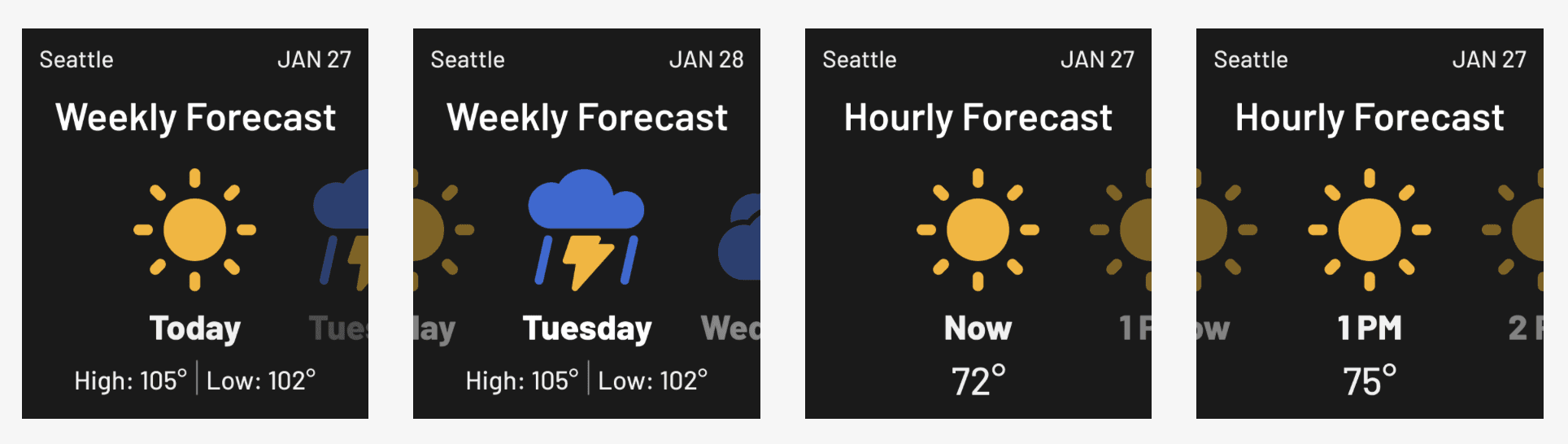
Hourly and Weekly Forecast
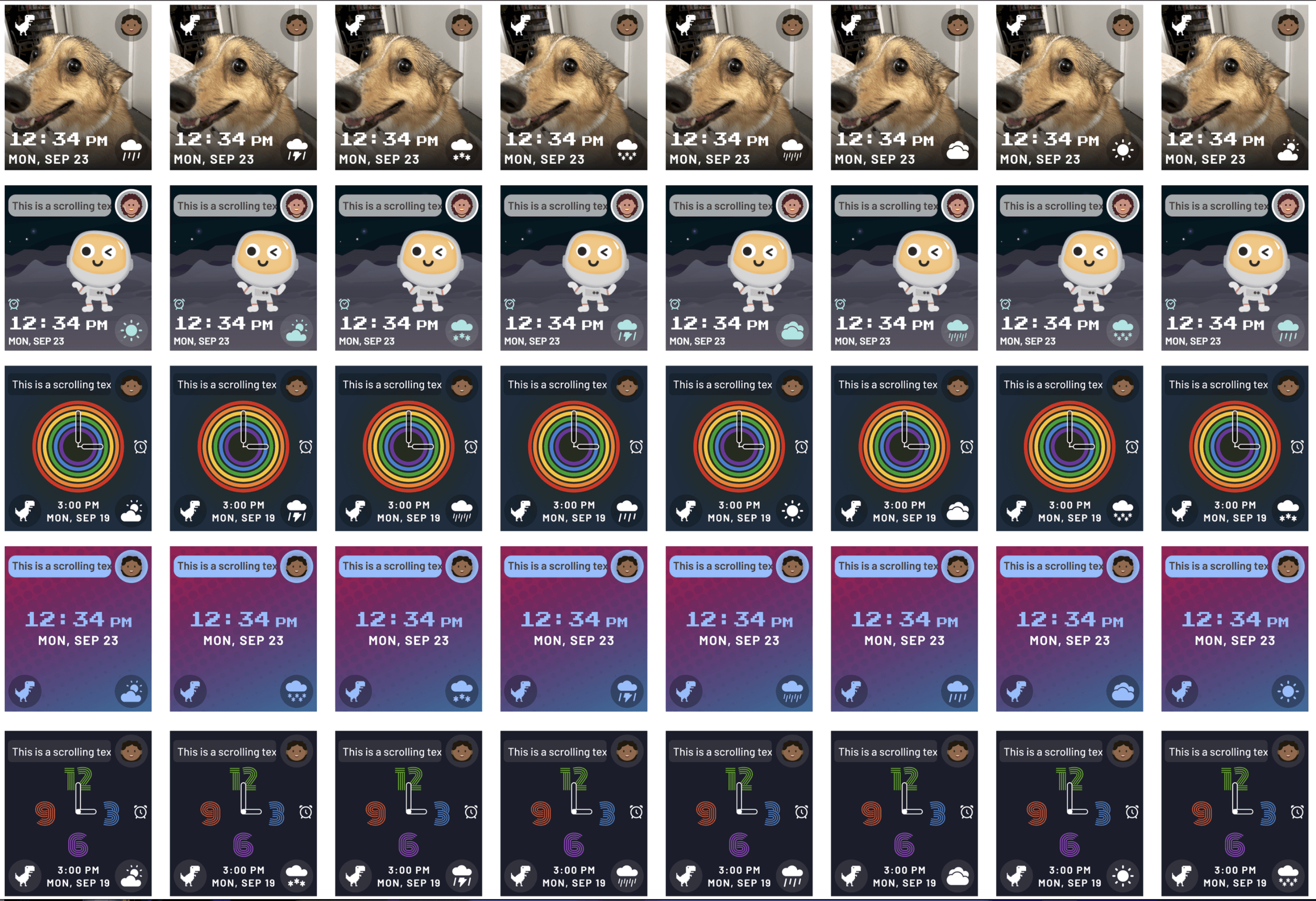
Watch Home Screen Widget
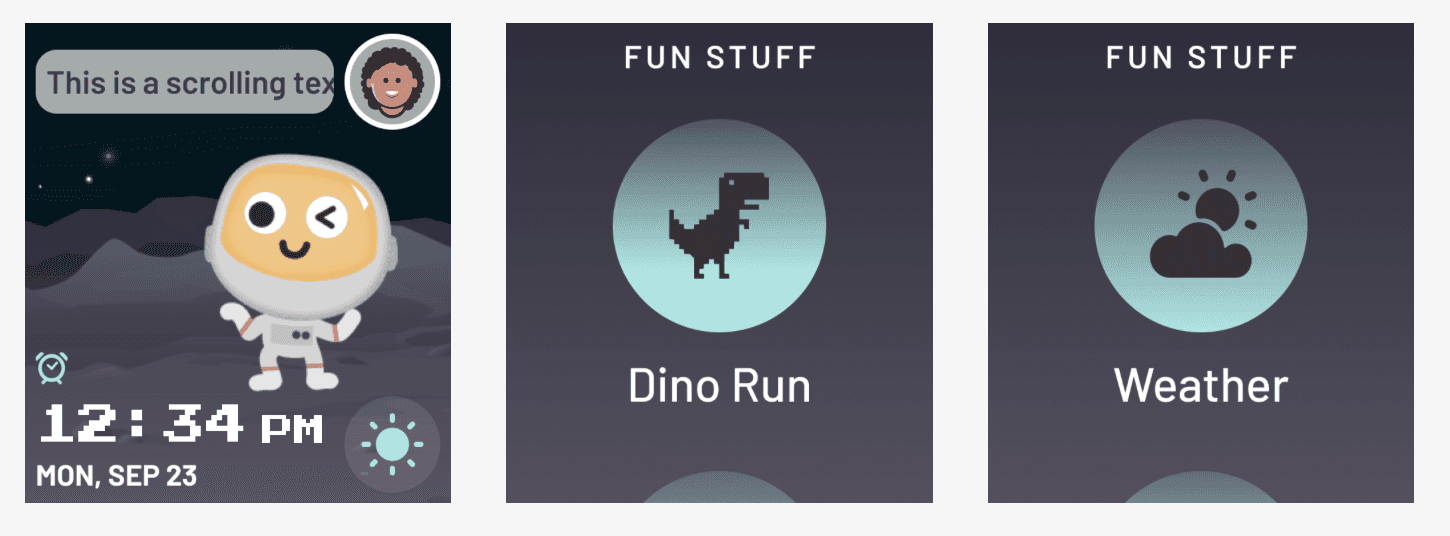
Home Screen Widgets for Different Themes
Additional Screens
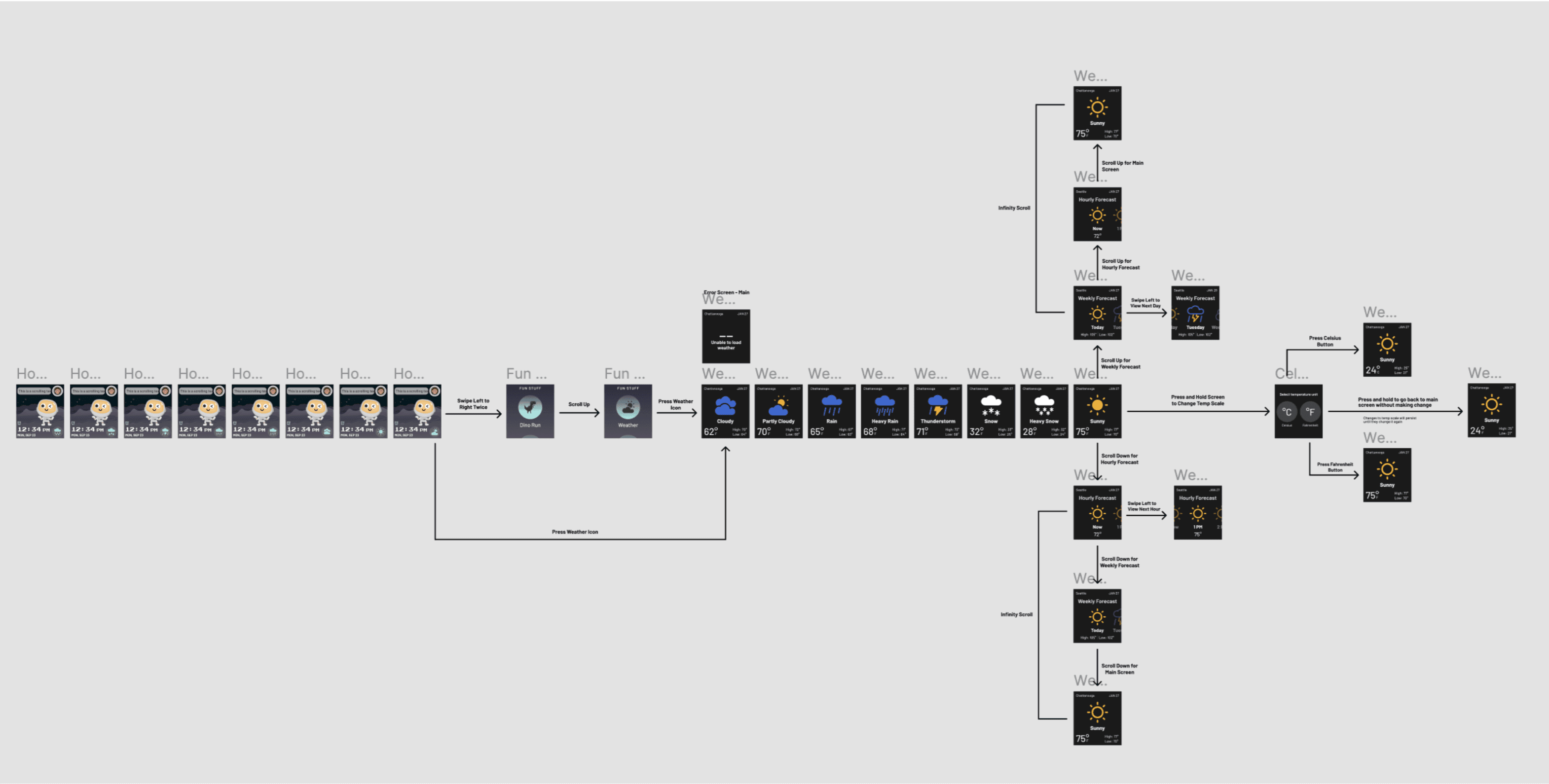
Laying Out the Flow and Interactions for Leadership and Developers
Laying Out the Flow and Interactions for Leadership and Developers
I included important notes, such as which way the user had to swipe.
I included important notes, such as which way the user had to swipe.
Outcome
Outcome
Added a critical and necessary application to the Sync-Up KIDS Watch product to help close the gap between competitors such as Verizon.
Added a critical and necessary application to the Sync-Up KIDS Watch product to help close the gap between competitors such as Verizon.
I personally learned and gained a lot of experience that widened and deepened my knowledge and skillset.
I personally learned and gained a lot of experience that widened and deepened my knowledge and skillset.